
How to Stage a House for Listing Photos Without Misleading Buyers
A trust-first guide to physical prep, virtual decluttering, furniture staging, renovation concepts, and the property features that must stay unchanged.
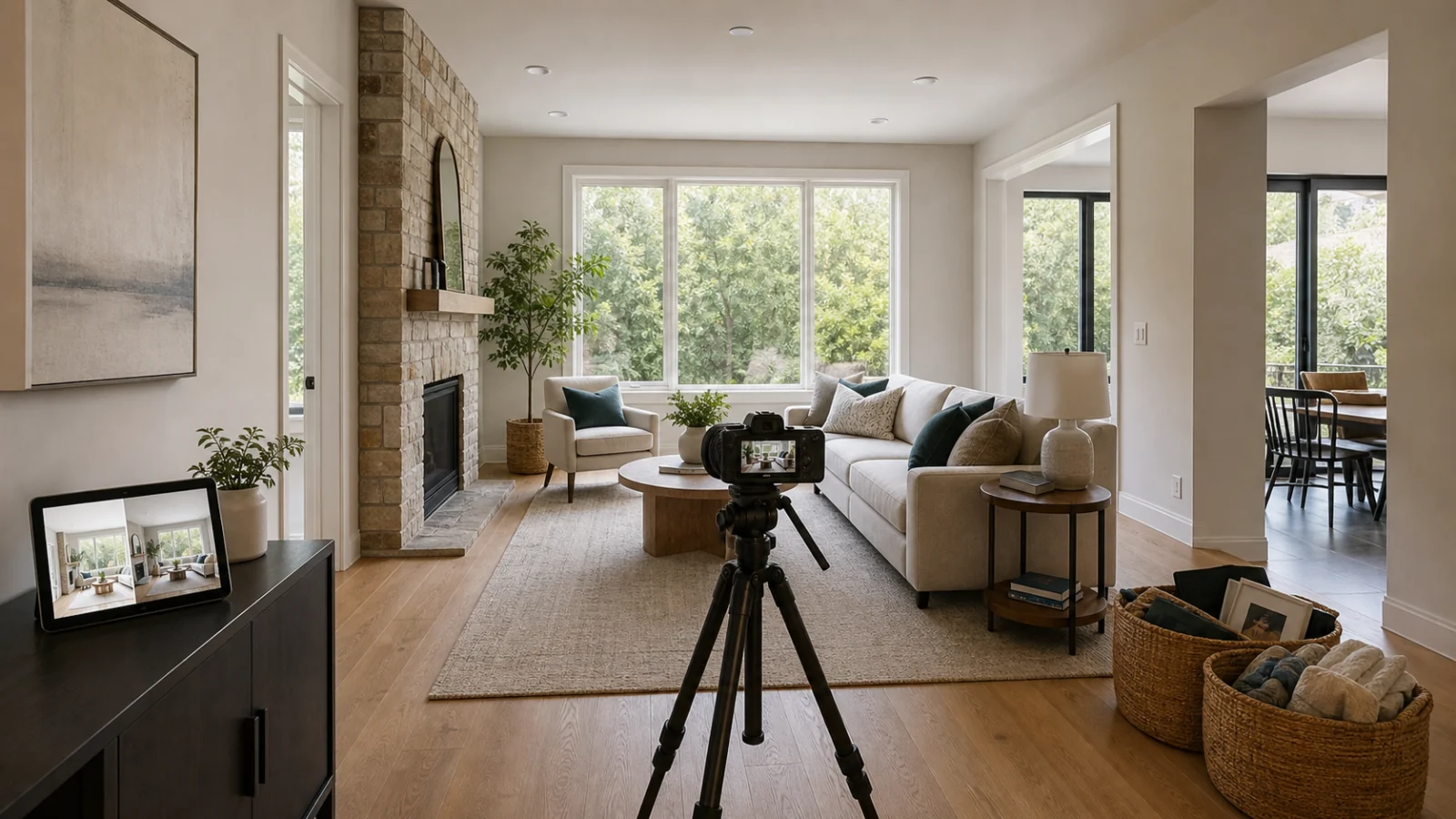
Stage a house for listing photos by doing the truthful work in the room first: clean, declutter, depersonalize, repair visible problems, open circulation paths, and arrange correctly scaled furniture. Use virtual staging only to illustrate movable furniture or decor that is not part of the sale, and keep walls, floors, windows, fixtures, views, dimensions, and condition unchanged. When a photo is digitally staged or decluttered, label it as required and keep the original easy to access. The goal is not to make the home appear larger, newer, or repaired. It is to help buyers understand how the real space can function.
Start with the property, not the editing tool
The best listing-photo staging happens before the photographer arrives. Physical preparation gives the camera a truthful, controllable scene and improves the experience when a buyer visits.
The National Association of REALTORS®’ 2025 Profile of Home Staging found that the seller-agent recommendations made most often were decluttering, whole-home cleaning, and improving curb appeal. Those tasks are less glamorous than generating a new sofa, but they solve the conditions buyers will actually encounter.
Use this order:
- Fix defects the seller has agreed to repair.
- Deep-clean the spaces that will be photographed.
- Remove excess and personal items.
- Arrange or reduce real furniture.
- Set lighting and window treatments.
- Photograph the actual condition.
- Use digital presentation only where it adds a clear, disclosed explanation.
Do not photograph a flaw and then erase it digitally because the seller intends to repair it later. Either complete the repair before the shoot or keep the current condition truthful.
A room-by-room pre-shoot checklist
Whole house
- ☐ Remove family photos, mail, medications, calendars, and identifying documents.
- ☐ Hide cords where safely possible without removing fixed outlets or equipment.
- ☐ Replace failed bulbs with consistent color temperature.
- ☐ Open curtains and blinds evenly; clean the glass.
- ☐ Remove small rugs that break up the floor or curl at the edges.
- ☐ Check mirrors and reflective appliances for people, tripods, and clutter.
- ☐ Keep enough furniture to show scale without blocking traffic.
Living room
- ☐ Center the arrangement on a real architectural feature or practical conversation area.
- ☐ Leave clear paths between doors, hallways, and outdoor access.
- ☐ Remove oversized furniture that makes the room harder to understand.
- ☐ Use a few neutral objects rather than filling every surface.
- ☐ Do not cover vents, outlets, floor damage, or permanent features.
Kitchen and dining
- ☐ Clear countertops except for one or two small, neutral objects.
- ☐ Remove bins, magnets, dish racks, cleaning products, and pet bowls.
- ☐ Align chairs and keep the table size appropriate to the real circulation space.
- ☐ Clean appliance fronts, sink, backsplash, and cabinet edges.
- ☐ Keep permanent appliances and visible condition accurate.
Bedrooms
- ☐ Use bedding that fits the mattress and does not hide the room boundary.
- ☐ Clear bedside tables and visible closet overflow.
- ☐ Show enough floor around the bed to communicate actual scale.
- ☐ Avoid a tiny virtual bed that makes a small room appear larger.
Bathrooms
- ☐ Remove personal products, toilet brushes, scales, and used towels.
- ☐ Close the toilet lid and clean glass, grout, mirrors, and fixtures.
- ☐ Use one clean towel arrangement if it does not cover condition.
- ☐ Do not digitally whiten grout, repair counters, or replace finishes.
Exterior
- ☐ Move bins, hoses, tools, toys, and temporary vehicles when permitted.
- ☐ Mow, sweep, trim, and complete approved maintenance before the shoot.
- ☐ Keep neighboring properties, utility equipment, permanent hardscape, and the real view.
- ☐ Do not generate a mature lawn, mountain view, or sunset that changes the property context.
Four different actions that should not be confused
Physical pre-shoot staging
You change the real scene before capture: clean, move a chair, remove family photos, add a real lamp, or bring in rented furniture. Buyers can encounter that arrangement at the property if it remains in place.
This is the preferred solution for clutter, cleanliness, and visible repairs.
Virtual decluttering
Software removes movable personal property from the photo. It may be useful when an occupied home cannot be fully cleared before photography, but it needs careful review. A model can remove the edge of a cabinet, repair a wall accidentally, invent flooring, or expose an area it never actually saw.
Never use virtual decluttering to remove:
- water stains, cracks, scuffs, or damage;
- utility equipment;
- permanent appliances or fixtures;
- neighboring buildings or street infrastructure;
- a view obstruction;
- anything material to condition or use.
When possible, physically remove the item and reshoot.
Virtual furniture staging
Software adds movable furniture and decor to explain function and scale. The staged layer should sit on top of an unchanged room. The original should remain part of the delivery package and be published or linked as required.
Furniture must not make a ten-foot room read like fourteen feet. Doors should open, paths should remain usable, and a buyer should be able to infer the same dimensions from the original.
Renovation concept
Changing flooring, paint, cabinetry, walls, appliances, landscaping, or fixtures illustrates a possible future—not the current property. That needs a stronger concept label, original access, and destination-specific review. Some MLS rules prohibit such changes unless the property will be improved to match by closing as part of the listed price.
Do not mix a renovation concept into the normal photo sequence as though it were current condition.
Safe, confirm first, and prohibited
The exact rule depends on the jurisdiction, MLS, brokerage, and portal. Use this as a production screen, not a substitute for those rules.
Usually safe when done physically before the shoot
- Cleaning and organizing the real room.
- Removing personal photos, laundry, dishes, toys, and temporary clutter.
- Rearranging movable furniture.
- Adding real plants, textiles, lamps, and artwork.
- Opening real blinds and switching on working lights.
- Completing repairs before photography.
Confirm permission, disclosure, and destination rules
- Digitally removing movable furniture or personal property.
- Adding virtual furniture, rugs, lamps, artwork, or decor.
- Showing the same room with a different furniture style.
- Creating day-to-dusk or replacing a sky.
- Visualizing planned paint, flooring, appliances, or landscaping.
- Coordinating staged furniture across multiple camera angles.
For these edits, retain the source and compare it with the candidate. A label may be required, but a label alone does not make a misleading change acceptable.
Do not present as the current property
- Removing cracks, stains, damage, or deferred maintenance.
- Changing room dimensions, wall position, window size, or ceiling height.
- Replacing real flooring, cabinetry, counters, fixtures, or built-ins.
- Inventing or improving a view.
- Removing neighboring properties, poles, wires, or permanent obstructions.
- Adding a pool, finished room, legal bedroom, or other feature that does not exist.
- Using undersized furniture or extreme perspective to exaggerate space.
The dividing line is simple: movable presentation can illustrate; property facts must remain evidence.
How to review a staged photo against its source
Open the source and candidate side by side at the same scale. Do not rely on a fast swipe.
Trace the room boundary
Follow every wall, corner, ceiling line, opening, window, and door. If the boundary changes, stop.
Trace permanent objects
Compare fireplaces, cabinetry, counters, appliances, lights, outlets, vents, radiators, and built-ins. AI may simplify or replace small features without making the error obvious at thumbnail size.
Inspect the condition layer
Look at floor seams, baseboards, grout, wall texture, glass, and exterior views. The edit should not quietly repair the property.
Test furniture scale
Ask practical questions:
- Could a normal adult use this chair?
- Could the door open fully?
- Is the dining table plausible for its number of chairs?
- Does the sofa depth fit the visible floor?
- Are paths at least visually credible?
Inspect contact and light
Furniture legs should meet the floor. Shadows should follow the source light. Reflections should make sense. Rugs should not bend into walls or cover unexplained condition.
Compare every angle together
If two photos show the same room, furniture location, identity, scale, and light should agree. Current single-image AI workflows may produce a similar style without preserving the same spatial plan. If consistency cannot be achieved, stage only the clearest angle.
The real estate photo before-and-after checklist provides a broader final quality review.
Use disclosure to set the right expectation
The 2026 NAR Code of Ethics says REALTOR® advertising must present a true picture and must not use misleading manipulations or images. California’s AB 723 requires covered real-estate promotional material to disclose digitally altered images and provide access to the original. CRMLS guidance similarly distinguishes ordinary photographic adjustments from adding or removing visual elements, and instructs users to label altered images and include the unedited image next to them.
Rules elsewhere differ, but a durable workflow includes:
- an archived source file;
- a staged derivative with a clear relationship to that source;
- a visible or adjacent disclosure where required;
- destination-specific gallery order;
- a public-page check after syndication;
- seller and agent approval records.
Read the detailed virtual staging disclosure guide and MLS photo compliance guide before upload. This article is operational guidance, not legal advice.
What buyer discussions reveal
Recent Reddit discussions are not scientific research, but they provide a useful qualitative warning. Buyers repeatedly object to photos that change floors, wall condition, landscaping, room scale, or other features and then fail to match the in-person visit. The complaint is not simply that AI was used. It is that the image stopped being dependable.
One misleading image can make a buyer question the rest of the gallery. That is why the best staging standard is not “Can the edit pass as real?” It is “Will the buyer understand the same property when they arrive?”
FAQ
What should I remove before real estate photos?
Remove personal information, excess decor, laundry, dishes, bins, pet items, loose cables, toiletries, and furniture that blocks circulation. Do it physically whenever possible. Keep permanent property elements and visible condition accurate.
Is it acceptable to virtually remove clutter?
Sometimes, with seller permission and proper disclosure, but the edit must not remove defects or fixed elements. Retain the original and inspect the revealed areas carefully. Physical removal and a new capture are safer.
Can virtual staging change wall color or flooring?
That is a renovation concept, not ordinary furniture staging. It may trigger stronger disclosure requirements or be prohibited by a destination’s rules unless the property will actually be changed. Never present it as current condition.
Should empty-room originals be included with staged images?
Treat original retention as mandatory production hygiene and follow the applicable publication rule. Some jurisdictions and MLSs require original access or adjacency. Even when not explicitly required, an easy-to-find original helps buyers evaluate the real space.
Does staging increase a home’s sale price?
NAR’s 2025 survey found that some agents reported higher offers and shorter time on market, while many reported no price impact or were unsure. Staging is a presentation tool, not a guarantee. Pricing, condition, location, and buyer demand still govern the transaction.
Prepare one truthful image pair before the listing goes live
Use Curbora’s MLS-compliant virtual staging workflow to preserve the original, review property facts, and deliver a clearly related staged candidate for approval.
References
- 2025 Profile of Home Staging, National Association of REALTORS®.
- Consumer Guide: Staging Your House for a Sale, National Association of REALTORS®.
- 2026 Code of Ethics and Standards of Practice, National Association of REALTORS®.
- California AB 723 bill text.
- CRMLS 2026 Compliance FAQs, May 2026.
- Reddit: What’s the biggest mistake you see in staged homes right now?, community discussion, March–April 2026.
- Reddit: Can we stop with the over-edited listing photos?, community discussion, April 2025.
- Reddit: Is digitally staging without a disclaimer common?, community question, June 2026.