
Free Real Estate Photo Editor Trials: What to Test With Your First Five Images
Do not spend trial credits on five easy rooms. Use a compact test set that reveals windows, mixed light, edges, exteriors, and delivery limits.
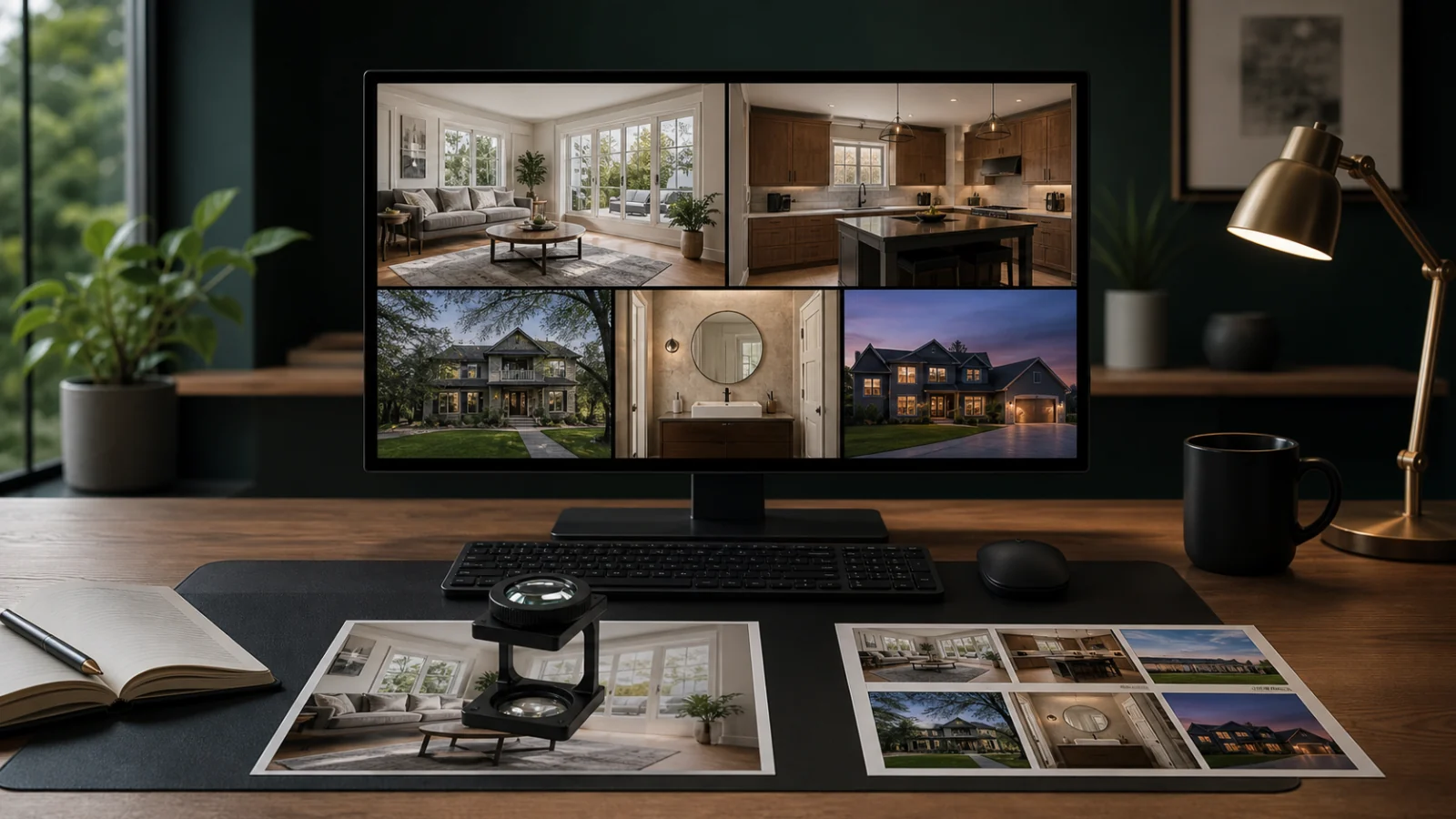
Use a free editor trial to test your real workflow, not to reproduce the vendor’s easiest demo. Choose five authorized images from one property: a bright-window living room, a mixed-light kitchen, a mirror-heavy bathroom, a detailed exterior, and a twilight or dark interior. Give every service the same source, instructions, export size, and deadline. Review property fidelity, exposure, white balance, windows, fine edges, set consistency, resolution, watermarks, and file naming. Record the time from upload to accepted final, including manual repair. Before uploading, also check retention, training use, rights, and whether the trial silently limits the very export you need.
Image one: bright-window living room
This reveals:
- Whether exterior detail exists in the source.
- How frames, curtains, and plants are masked.
- Whether the room becomes flat and overbright.
- Whether the tool invents a view.
Inspect at 100 percent, not only in the browser preview.
Image two: mixed-light kitchen
Use daylight plus warm fixtures and reflective counters. Check white cabinets, wood, stainless steel, and local color casts. The result should remain warm where light is warm without turning the whole room orange.
Image three: mirror-heavy bathroom
Mirrors, glass, chrome, white tile, and small fixtures expose masking and generative errors. Check duplicated objects, changed reflections, broken edges, and highlight texture.
Image four: detailed exterior
Choose trees, rooflines, railings, antennas, or utility lines. Evaluate verticals, sky treatment, foliage, permanent context, saturation, and halo-free edges.
Image five: twilight or dark interior
This tests noise, sharpening, shadow recovery, fixture color, and whether the service creates unrealistic brightness. If twilight is not part of your work, substitute your most common difficult source.
Use one brief
Define:
- Allowed corrections.
- Prohibited property changes.
- Desired brightness and color reference.
- Window treatment.
- Crop and perspective requirements.
- Export dimensions, format, profile, and naming.
- Delivery deadline.
Do not tailor the instructions to each tool. You are testing how each fits your operating standard.
Check what “free” excludes
Trial restrictions may include:
- Low-resolution previews.
- Watermarks.
- Limited task types.
- No batch processing.
- A small credit balance.
- Paid high-resolution export.
- Short file retention.
- Limited revisions.
PhotoUp and BoxBrownie currently advertise trial or introductory credits on their public pages, but offers change. Verify the live terms when testing.
Score the accepted final
Use pass, needs correction, or fail for:
- Property fidelity.
- Exposure.
- White balance.
- Windows and reflections.
- Fine edges.
- Noise and sharpness.
- Listing-level consistency.
- Correct export.
- Turnaround.
Treat altered fixed features, invented views, hidden defects, or unusable exports as hard failures.
Review privacy before upload
Property images may expose addresses, possessions, access systems, people, and documents. Check:
- Training use.
- Retention and deletion.
- Public gallery defaults.
- Staff or contractor access.
- Transfer security.
- Rights to sources and finals.
Use test files you are authorized to share.
Calculate the post-trial cost
Estimate the same monthly workload under the paid plan. Include credits, task add-ons, high-resolution exports, retries, storage, reviewer time, and manual repair. A trial is valuable when it predicts production, not when it only produces five free thumbnails.
Run one controlled correction
Do not finish the trial after the first exports. Select one image that is close but not accepted and send a specific correction: neutralize the green cast on the right wall while preserving the warm pendant light, or reduce the exterior saturation without changing the window mask. This tests whether the workflow can make a local correction without rebuilding unrelated areas.
Record whether the service preserves the approved crop, exposure, and other images. Some systems regenerate an entire result, creating a different sofa edge, sky, or color balance while fixing the requested region. A fast first pass is less useful when a small change introduces a new review cycle.
Check the delivered files
Download every available export and inspect it outside the web preview. Confirm:
- Pixel dimensions and aspect ratio.
- JPEG or PNG quality and compression artifacts.
- Embedded color profile.
- File name and ordering.
- Metadata handling.
- Whether the download is the same version you approved.
A browser preview may be sharpened, scaled, or color-managed differently. Production decisions belong on the file that reaches the client or MLS.
Keep a short test record
Save the five sources, brief, outputs, scorecard, timing, and trial terms as of the test date. Add screenshots only when they clarify a setting or restriction. The record lets you compare a later model update with the same baseline and prevents a team from repeating the evaluation from memory.
If the service passes, run one small paid listing before routing high-volume or premium work. That paid step tests billing, support, queue behavior, and real deadlines—conditions a promotional trial may not reproduce.
Compare support before you need it
Submit one factual question during the trial: whether the system can preserve an original window view, delete a project, or export a specific profile. Evaluate the accuracy and clarity of the response, not only response time. Generic sales language does not answer a production constraint.
Check whether help material distinguishes enhancement, HDR merge, staging, decluttering, and twilight conversion. If all tasks are described as one-click improvement, the service may not communicate the representation limits your team needs.
Decide who approves the trial
Use one final approver, even if several people score the images. The photographer may prioritize source fidelity, the agent may prioritize listing presentation, and an operations lead may prioritize speed. Resolve those priorities before selecting a product.
Document any accepted compromise. For example, a service may be approved for routine exposure and white balance but excluded from staging or object removal. A limited, explicit approval is safer than treating one passing test as permission for every feature.
For a larger evaluation, use the 10-photo AI editor framework.
Frequently asked questions
Should all five images come from one listing?
Usually yes. That lets you judge cross-image consistency. Add a second property later if your work varies significantly.
Can I compare a RAW upload with a JPEG service?
Create equivalent supported sources and document the difference. Otherwise the comparison mixes editor quality with source latitude.
What if the trial export is low resolution?
You cannot fully judge fine edges, sharpening, compression, or delivery fit. Purchase the smallest suitable option or eliminate the tool if production export cannot be tested.
Should I use staging in the first five?
Only if staging is a core need. It is a distinct synthetic task and should replace one test image, not be mixed into an enhancement score.
Make the trial answer a production question
Run five representative images through Curbora, review them beside the originals, and measure accepted-final time. Try the real estate photo editor.