
AI real estate photo editing: what it can fix—and what it should never change
A practical guide to safer AI photo enhancement, decluttering, virtual staging, and day-to-dusk edits without changing the facts of a property.
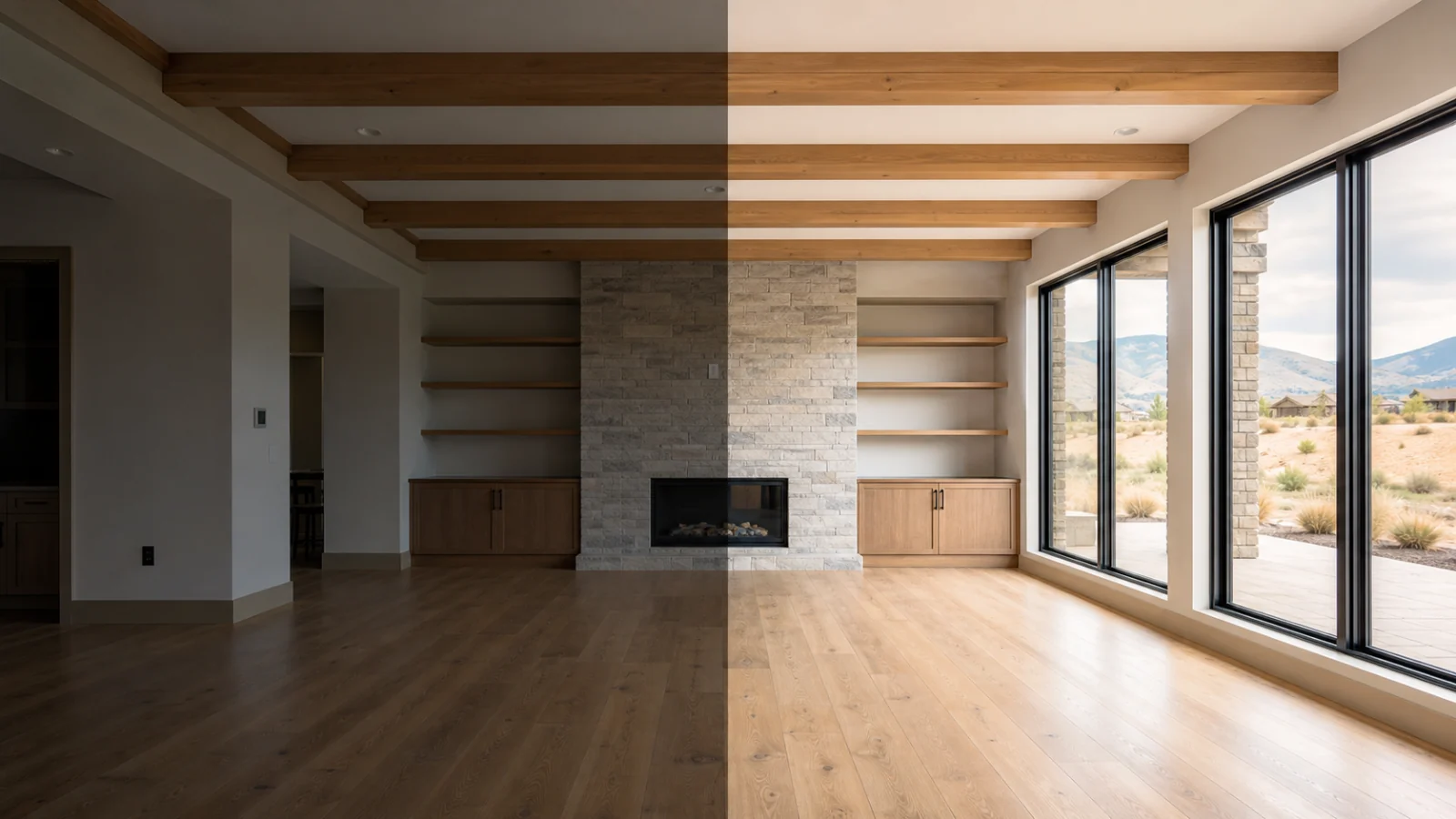
AI real estate photo editing: what it can fix—and what it should never change
Before you use this guide: This guide offers practical editing and review guidance, not legal advice. State law, local MLS rules, brokerage policy, and the publishing destination may define or treat digital alterations differently. Confirm the current requirements that apply to each listing before publishing.
The short answer: improve the photograph, not the property
AI real estate photo editing is most useful when it corrects the way a camera captured a property rather than changing the property itself. Exposure balancing, white-balance correction, restrained color work, clarity, and light perspective cleanup can make a photograph easier to read while preserving what a buyer would see in person. Once an edit adds, removes, hides, or reshapes a material feature, it moves from photographic correction toward digital alteration and needs a different level of review.
A simple test is to ask whether the edit changes a reasonable buyer’s understanding of the property. Making a dim room look naturally lit is different from adding a window. Removing a photographer bag is different from erasing a wall stain. Straightening vertical lines is different from widening the room. The first action in each pair improves the image; the second changes evidence about the property.
The safest workflow keeps the source photo attached to every result, generates candidates instead of overwriting the original, and requires a person to approve the final at full resolution. AI can accelerate production, but accountability still belongs to the listing team that publishes the image.
Edits AI can usually handle as standard photo enhancement
Standard enhancement addresses camera and lighting limitations without introducing new property facts. CRMLS guidance and California law both identify common adjustments such as lighting, sharpening, white balance, color correction, angle, straightening, cropping, and exposure as distinct from element-changing edits when the representation of the property remains unchanged. That final condition matters: an ordinary editing tool can still be pushed far enough to become misleading.
Natural enhancement should leave textures, views, room proportions, fixtures, and visible condition intact. Window recovery should reveal the view that was actually captured, not substitute a better sky or neighborhood. Perspective correction should fix camera lean, not stretch a compact room into a wide one. Color correction should neutralize a cast, not test-drive a different wall, cabinet, or flooring color.
- Balance highlights and shadows while keeping believable contrast.
- Correct mixed indoor lighting and neutralize an unwanted color cast.
- Apply restrained sharpening, clarity, and noise reduction.
- Straighten horizons and lightly correct converging vertical lines.
- Crop for a cleaner composition without concealing relevant context.
- Recover existing window detail only when it is present in the source capture.
Decluttering: remove temporary distractions, not evidence
AI decluttering can be useful when a room contains movable distractions: delivery boxes, countertop items, loose cables, toys, personal photographs, a photographer bag, or furniture the seller intends to remove. The goal is to clarify the existing space, not to simulate repairs or create a different property condition.
The risky boundary appears where an object is fixed, structural, legally significant, or evidence of condition. Do not remove utility equipment, power lines, roadways, neighboring structures, vents, radiators, permanent shelving, stains, cracks, water damage, or other defects. Do not erase a feature simply because it makes the composition less attractive. If the team cannot tell whether an item is temporary, the correct status is needs confirmation rather than ready to publish.
- Usually safer: loose clutter, privacy details, small personal items, and clearly movable furniture.
- Needs confirmation: televisions on mounts, window treatments, portable appliances, and objects that may be included in the sale.
- Block the edit: walls, windows, fixtures, utilities, landscape context, safety features, damage, and permanent property elements.
Virtual staging: add a possible use without redesigning the room
Virtual staging can help a buyer understand scale and function in an empty room. A credible result adds movable furniture and soft goods while preserving the photographed architecture. Doorways, windows, ceiling height, floor plan, built-ins, fixtures, flooring, view, and room dimensions should remain aligned with the original.
The staging should also respect physical plausibility. Furniture cannot block a doorway, float above a floor, change size between reflections, or imply space that does not exist. Avoid turning staging into renovation visualization by replacing cabinets, countertops, flooring, fireplaces, wall openings, or permanent lighting. Those changes describe a hypothetical remodel rather than the property for sale.
Many MLS and advertising policies require digitally altered or virtually staged images to be labeled and paired with an original. Keep both assets together from the start and select the disclosure method for the destination. A caption that works inside one MLS may disappear when the listing is syndicated elsewhere.
Day-to-dusk: change the atmosphere without inventing amenities
A day-to-dusk edit changes the visual time of day while preserving the building and its surroundings. A restrained conversion adjusts sky tone, ambient color, brightness, and the appearance of existing illuminated windows. The result should still describe the same exterior from the same camera position.
Do not add landscape lighting, fire features, pool lights, pathway lights, skyline landmarks, mountains, water views, mature planting, or exterior fixtures that are not visible in the source. Avoid dramatic skies whose direction and reflections conflict with the scene. An atmospheric edit becomes a property edit when it invents a feature or conceals context.
- Ready for review: natural blue-hour color, believable shadow detail, and a preserved structure.
- Needs confirmation: illuminated windows or fixtures whose operating state is unclear in the source.
- Reject: new lighting, landscaping, views, structures, or removal of neighboring and utility context.
Property facts AI should never change
A listing image is not the place to repair, remodel, or re-site a property. Material facts should survive every generation. That includes architecture, fixed finishes, visible condition, utilities, access, neighboring context, and the relationship between interior and exterior spaces. If a generated candidate changes any of those facts, reject it even when the result looks more polished.
Automated safeguards can catch some prohibited requests, but visual generation can introduce unintended changes without being asked. A model may simplify a railing, move a switch, redraw a window, smooth a crack, alter a reflection, or replace small exterior details. This is why prompt rules alone are not a quality-control system.
- Walls, doors, windows, room openings, stairs, railings, and ceiling geometry.
- Cabinets, counters, sinks, plumbing fixtures, fireplaces, built-ins, and permanent lighting.
- Flooring material, wall finish, paint color, and visible signs of wear or damage.
- Utility lines, poles, roads, driveways, neighboring buildings, easements, and exterior context.
- Views, lot boundaries, landscaping, pools, decks, patios, and other amenities.
Review every candidate against the source, not your memory
The fastest reliable review is a side-by-side comparison between one immutable source and one candidate. Start with the whole frame to catch changes in composition and proportions. Then inspect boundaries where generation errors often appear: window frames, door edges, cabinet lines, mirrors, railings, fixtures, furniture contact points, foliage, rooflines, and text or numbers.
Review at 100 percent before approving a final. A thumbnail can hide warped trim, doubled hardware, texture smearing, halos, impossible reflections, or a small removed feature. Also compare the selected candidate with adjacent listing photos. An edit can look convincing in isolation yet conflict with another angle of the same room.
Curbora keeps the original attached, produces reviewable candidates, and separates the selected final from experiments. The system helps organize the evidence; the reviewer still decides whether the image accurately represents the property and whether disclosure is required.
Use three review outcomes: ready, needs confirmation, or blocked
A binary approve-or-reject decision encourages rushed judgment. A three-level review makes uncertainty visible. Ready means the edit preserved property facts and passed visual quality checks. Needs confirmation means the result may be acceptable, but the reviewer needs context from the photographer, listing agent, broker, or MLS. Blocked means the candidate changes a material fact, contains a visual defect, or conflicts with the destination policy.
Record the reason, not just the status. Notes such as confirm whether curtains remain, original must accompany staged image, or reject because utility line disappeared turn one reviewer’s judgment into useful handoff information. They also make revisions faster because the next candidate has a specific acceptance test.
A repeatable workflow for listing-ready AI edits
Begin with the publishing destination and the intended edit, not with a generic make it better prompt. Upload the source, choose a service that matches the actual need, generate a small set of candidates, compare each candidate with the original, and select only the version that passes both visual and property-fact review. Preserve the rejected versions outside the final delivery set.
For standard enhancement, the final may be ready for an MLS-safe package after review. For virtual staging, decluttering, or day-to-dusk, confirm classification and disclosure requirements, then export the original, selected final, label, and metadata in the sequence the destination expects. This turns compliance from a last-minute caption problem into part of the production workflow.
- Define the destination, local MLS, and brokerage policy.
- Keep the source unchanged and assign one edit intent to each generation.
- Compare candidates side by side and inspect the selected result at full resolution.
- Approve, request confirmation, or block with a specific reason.
- Export only selected finals and the originals, labels, and metadata required for that destination.
Frequently asked questions
Does every AI edit require disclosure? Not necessarily. Some rules distinguish common photographic corrections from edits that add, remove, or change property elements. The effect of the edit matters more than the name of the tool, and the applicable state, MLS, brokerage, and destination rules control the answer.
Can AI remove furniture from a listing photo? It may be appropriate to remove clearly movable furniture, but the result is digitally altered and may require a label and original pairing. Do not remove a fixed feature, included item, visible defect, or anything whose status is uncertain.
Can AI replace a gray sky? A sky replacement is riskier than exposure or color correction because it introduces content that was not captured. If the destination allows it, keep the scene physically plausible, do not change views or property context, preserve the original, and follow the applicable disclosure rule.
Is an AI real estate photo editor automatically MLS compliant? No. Compliance depends on what changed, where the property is located, which MLS receives the image, how the edit is disclosed, and whether the original must be shown. Software can support a safer process, but it cannot make one universal publishing decision for every listing.
References
Sources and guidance reviewed for this article. Verify current policies before publishing.